Genshin Impact Download Windows Woes: Conquer Installation Errors and Embrace Teyvat
Highlights
- Overcome SSD installation issues in Genshin Impact by reformatting your SSD to NTFS for better compatibility.
- Ensure a stable internet connection to avoid disruptions during the download process.
- If all else fails, manually download the game files from the official website to bypass launcher complications and install the game directly.
Are you encountering difficulties installing Genshin Impact on your SSD? Fret not, for we are here to assist you every step of the way! Despite having ample space, you may be experiencing frustrating errors and progress loss during the download process. Fear not, as we have compiled a comprehensive guide to help you manually download the game files without relying on the launcher.
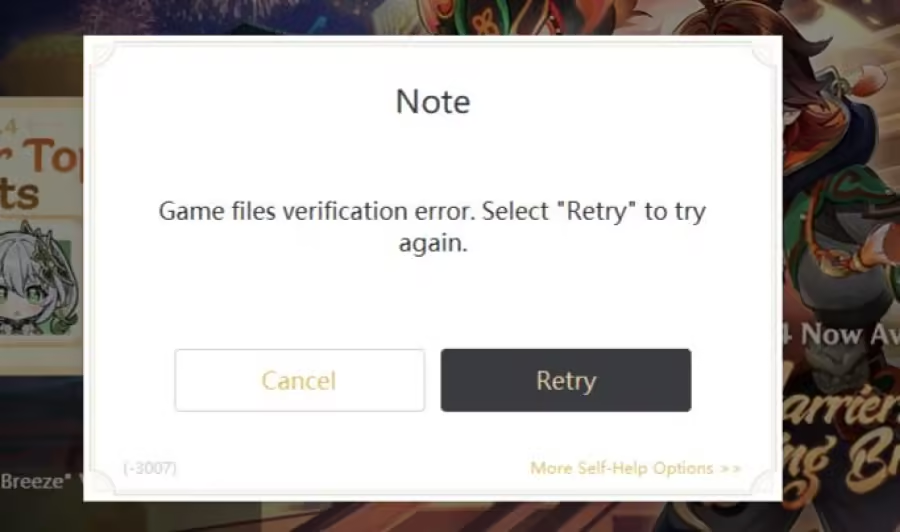
Solution 1: Reformat your SSD to NTFS
One common issue with SSD installations is the file system format. If your SSD is not formatted to NTFS, it may cause compatibility problems. To overcome this hurdle, follow these simple steps:
1. Open the Disk Management tool on your Windows PC.
2. Locate your SSD and right-click on it.
3. Select "Format" and opt for NTFS as the file system.
4. Follow the on-screen instructions to complete the formatting process.
Once your SSD is successfully formatted to NTFS, attempt reinstalling Genshin Impact to determine if the error persists.
Solution 2: Check your internet connection
At times, a weak or unstable internet connection can disrupt the download process. Ensure that you are connected to a stable and reliable network. If feasible, consider switching to a different network or utilizing a wired connection instead of relying on Wi-Fi. Additionally, you may try resetting your router or reaching out to your internet service provider for further assistance.
Solution 3: Download the game files manually
If all else fails, you can resort to manually downloading the game files, bypassing the use of the launcher altogether. Follow these straightforward steps:
1. Visit the official Genshin Impact website and navigate to the "Download" section.
2. Locate the option to directly download the game files.
3. Select the appropriate version for your operating system (in this case, Windows 11) and click on the provided download link.
4. Save the downloaded files directly to your SSD.
5. Once the download is complete, locate the files and manually run the game installation.
This method circumvents any potential complications associated with the launcher and enables you to install the game directly from the downloaded files.
Remember, if you are unfamiliar with manual installations, it is always advisable to seek additional guidance or refer to tutorials specific to Genshin Impact. With these solutions at your disposal, may your adventures in the enchanting world of Teyvat be free from errors and glitches. Best of luck!
Related Articles
Genshin Account Galore: The Whimsical World of Multiple Accounts in Genshin Impact
Genshin Interactive Map: Navigating the Ever-Expanding World of Genshin Impact
Mihoyo, Let's Drink to a Boozy Mondstadt: Enhancing the Drinking Experience in Genshin Impact!
Genshin Login Frustrations? Fear Not, We've Got the Fixes for Genshin Impact!
Genshin Impact Launcher: Unleash the Power of Version 4.4 and Conquer Teyvat!